
Help Center
Below are simple instructions of how to configure the app.
Below are simple instructions of how to configure the app.
Variant option groups should be created per the following list. Items in bold must be named exactly as listed below.
These are added in the “Variants” section of the edit product page on the Shopify admin. The VAT group can be placed before or after other option groups.
VAT
VAT Exempt
VAT Included
Any additional variants, e.g. Size, Colour, etc.
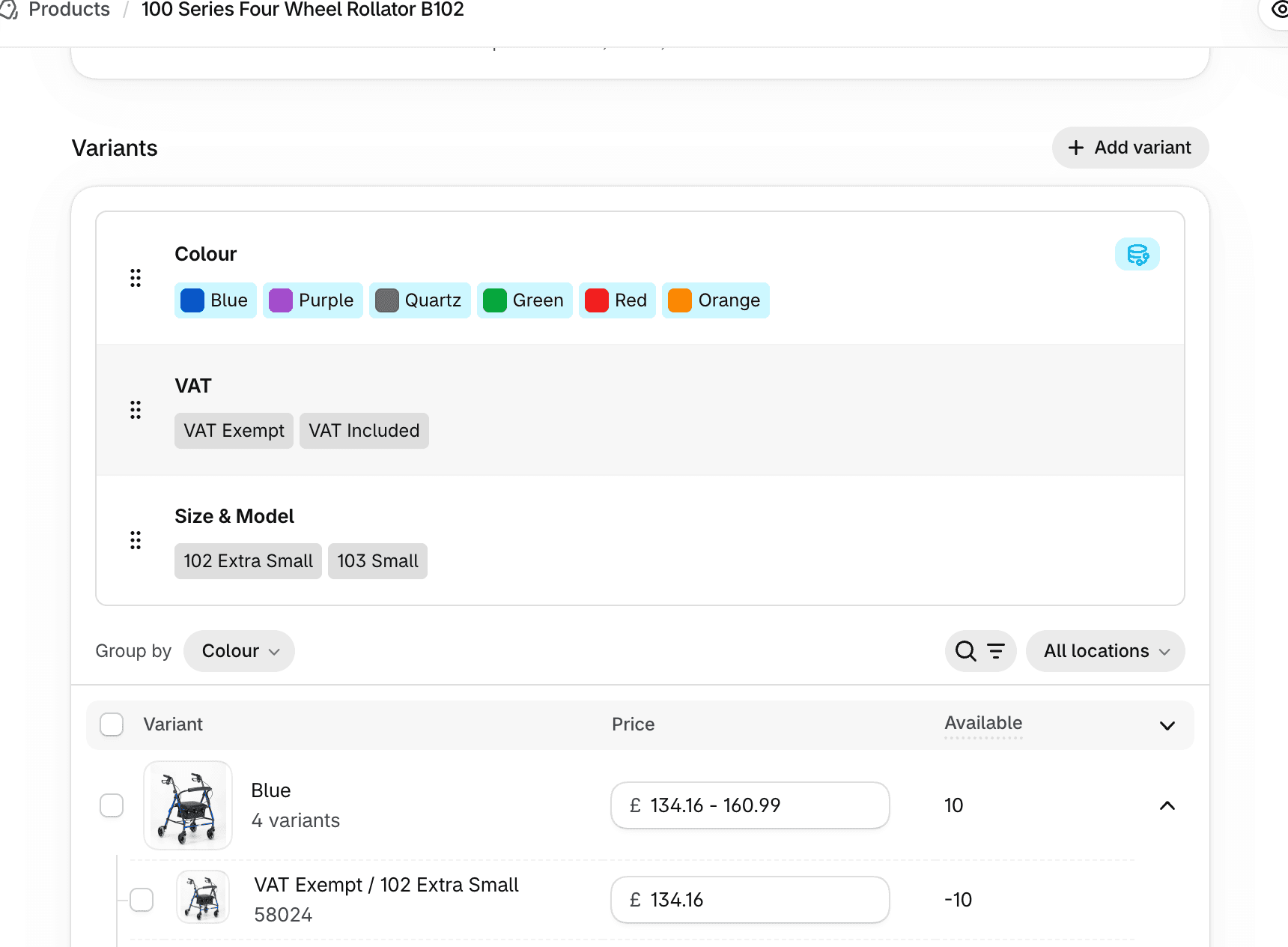
Once the groups in the above step have been created, Shopify automatically creates the required variants.
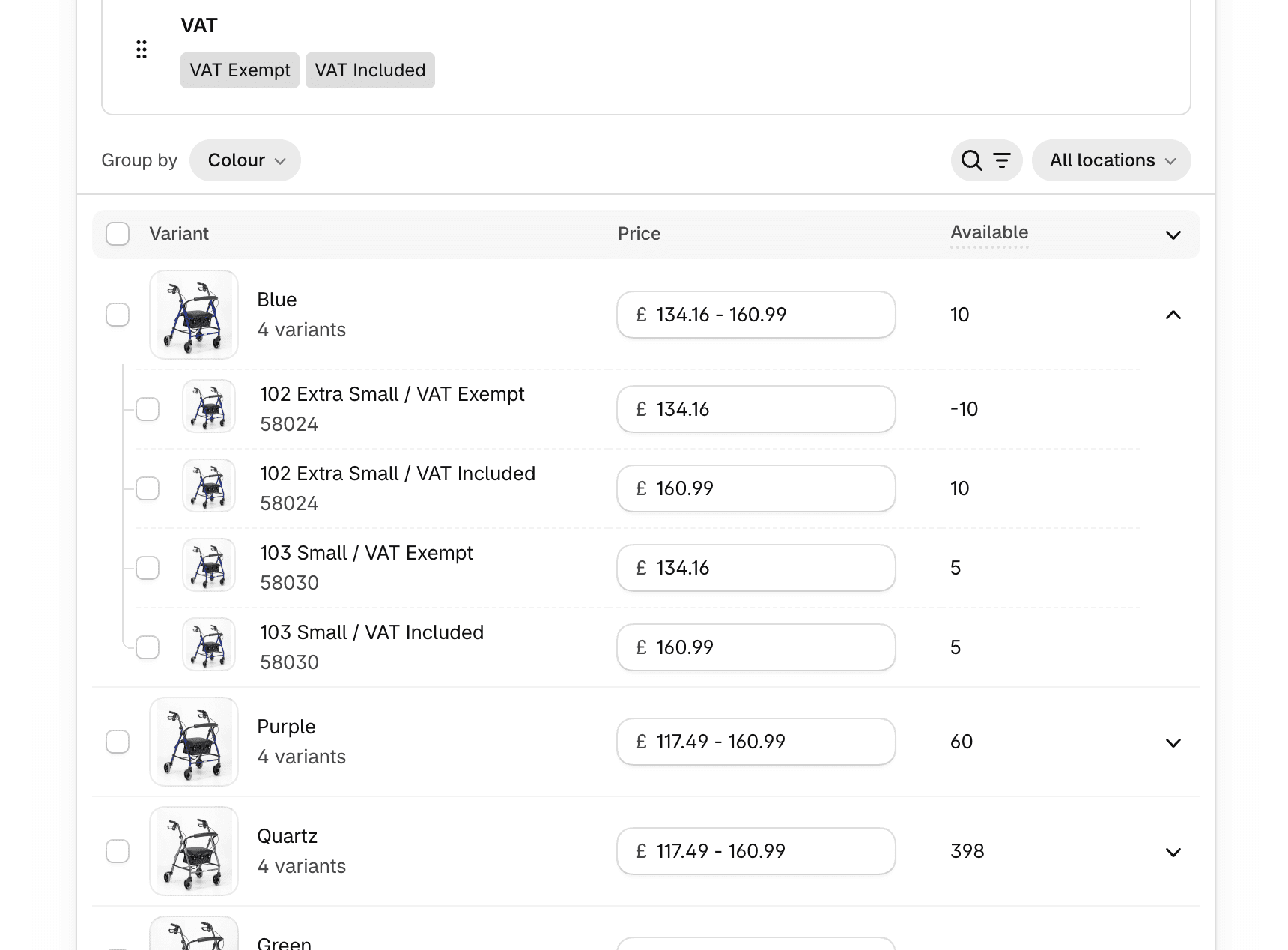
Set the price with/without VAT per variant.
Each VAT pair can have the same SKU to retain links with any stock management app that is connected.
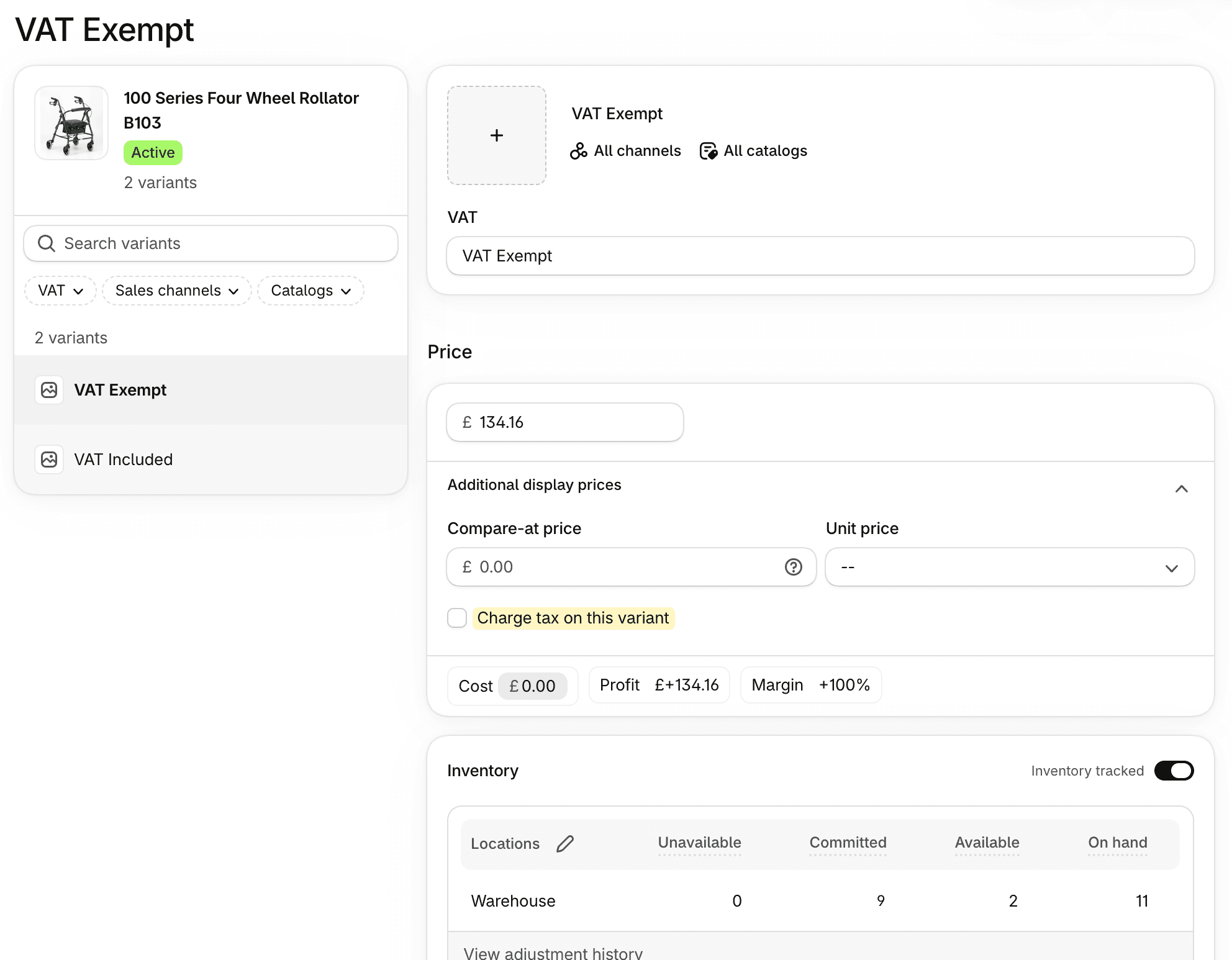
Uncheck the "Charge tax on variant" option for each VAT-exempt variant (i.e. those with “Exempt” in their title).
You will need to click on each variant to see this option, and this action can be done in step 2.
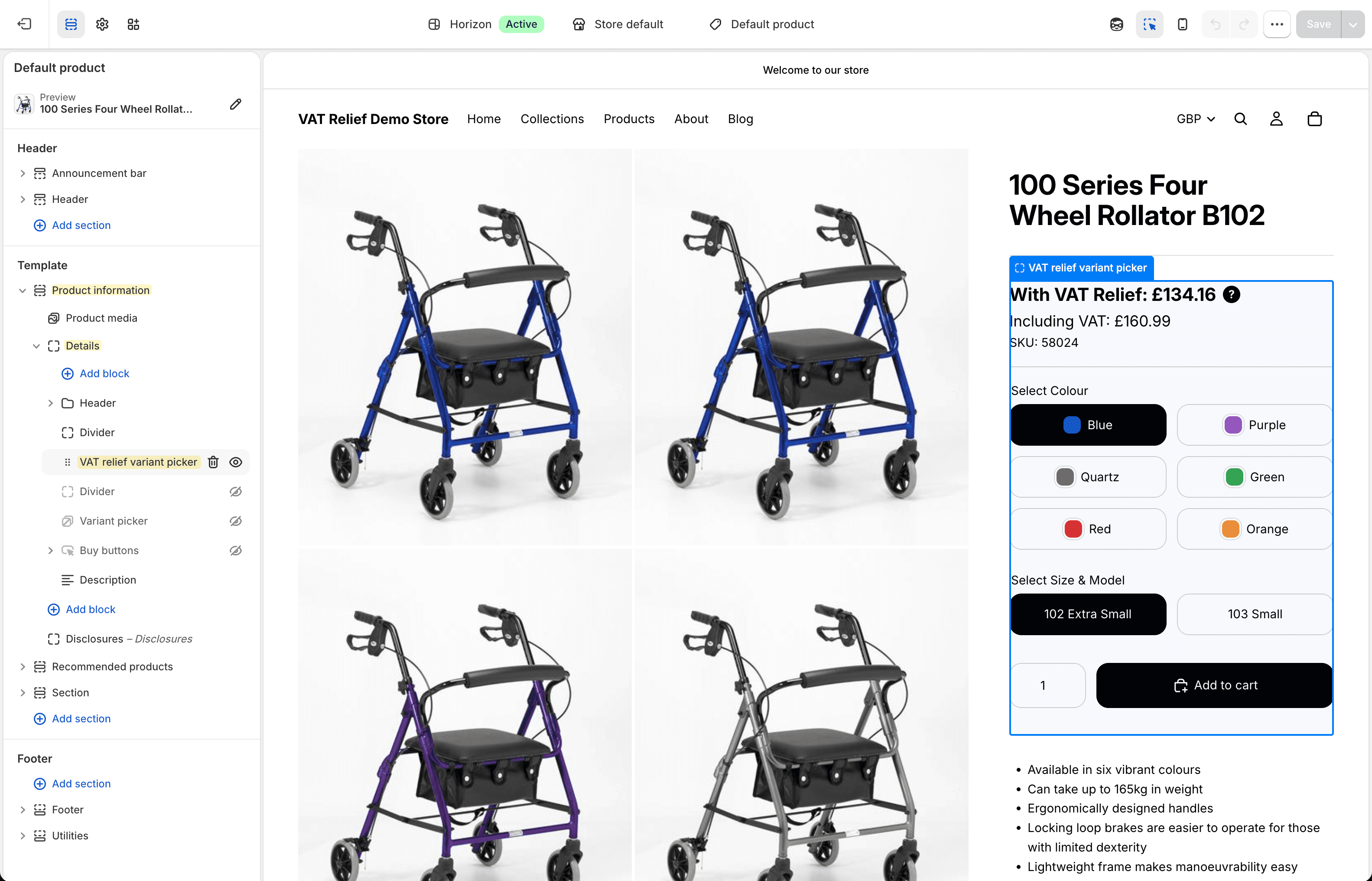
In the theme customiser, navigate to the product template. In the "Product information" section, locate the "Details" block.
Click the + icon to insert a new block and select "VAT relief variant picker" from the app blocks tab.
You can now change the appearance and fine-tune the block to your liking.
The VAT relief options will only display if the product has been configured with the VAT variant group, otherwise the standard price format will be displayed.
Note: Theme sections and blocks maybe named differently depending upon the theme installed.
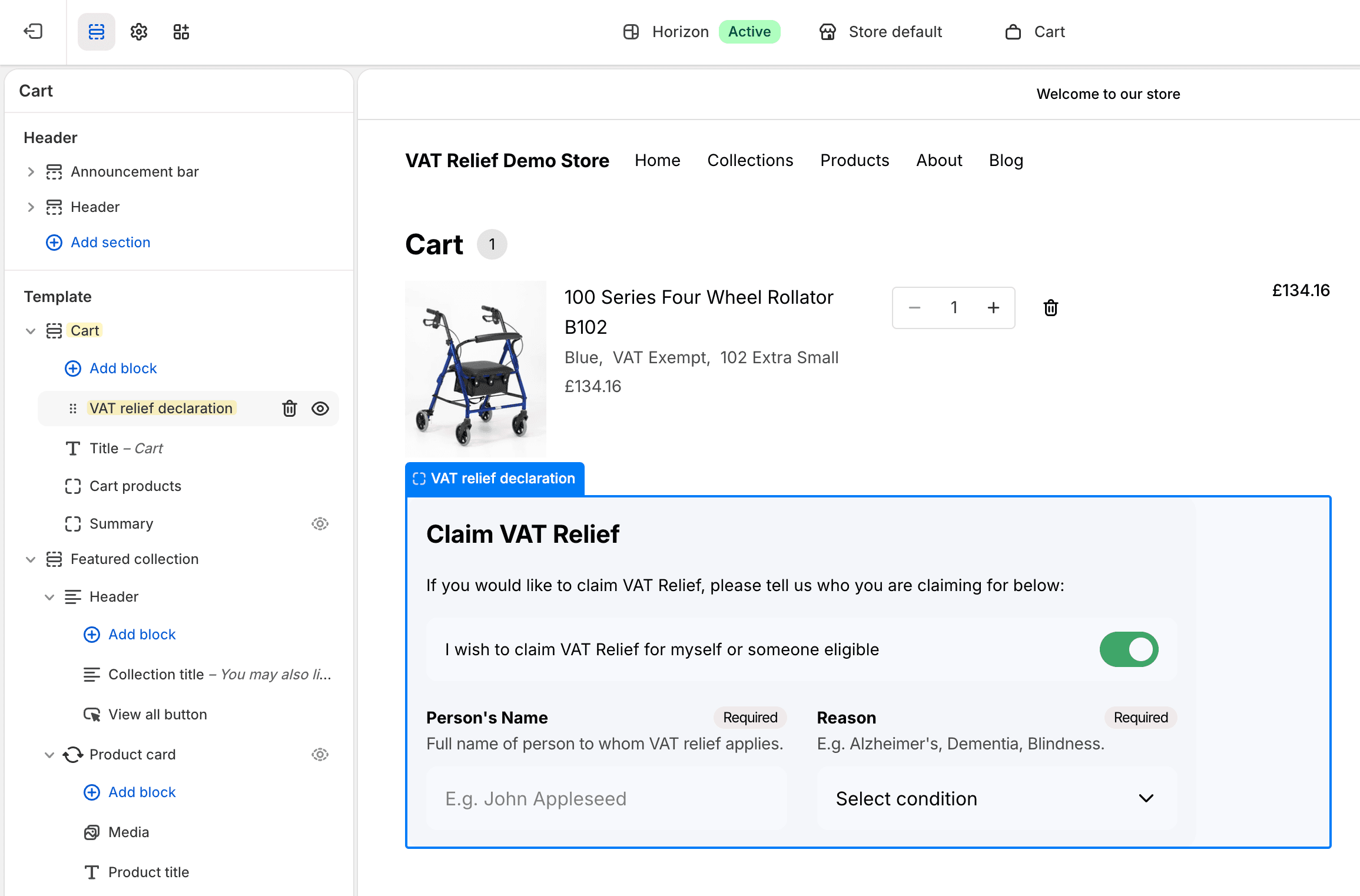
In the theme customiser, navigate to the cart template.
In the "Cart" section, click the + icon to insert a new block and select "VAT relief declaration" from the app blocks tab.
You can now change the appearance and fine-tune the block to your liking.
The VAT relief declaration will only appear if there's a VAT exempt product in the cart.
Note: Theme sections and blocks maybe named differently depending upon the theme installed.
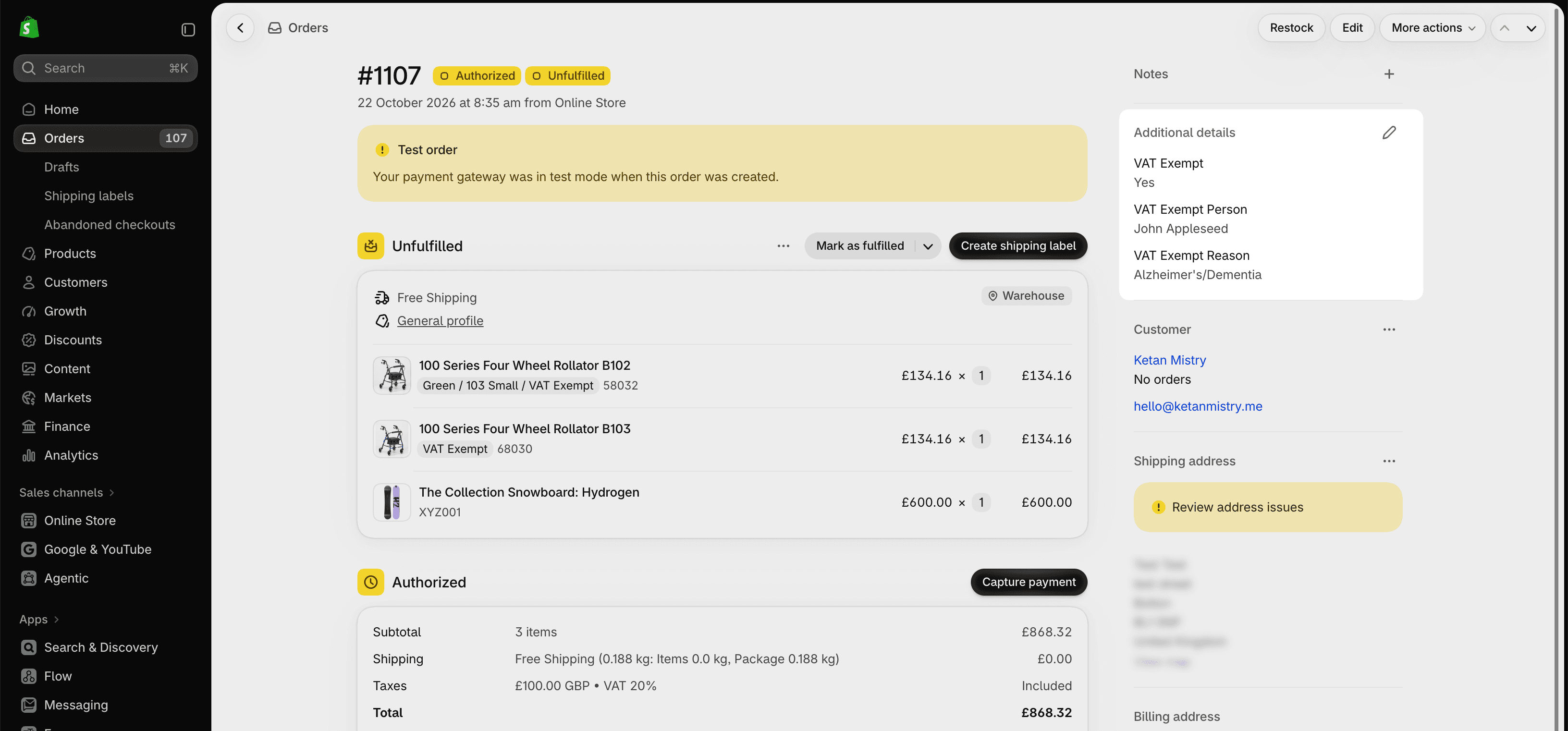
The VAT declaration details can be found below the Notes section on the order page in the Shopify Admin. The details are also editable.
These fields will only appear if the cart contained a VAT relief product.
Using the same SKU's against each vat exempt variant pair should keep your stock in sync within your stock management software. If you are not using separate software, there are a few third-party Shopify apps you can use that do the job, such as:
See more details on this Shopify forum thread.
The official "Google & YouTube" Shopify app is limited in functionality, and doesn't allow certain variants to be excluded from the feed. If you are submitting your product catalogue to Google Shopping, I recommend the Simprosys app which allows variants to be excluded using a rule based system.
"It’s an integration I’ve been adding to stores manually over the last 10 years, and have now finally converted it to an app. It has been built on all the client feedback and tweaks I’ve done over that time, so I believe I should have perfected it by now!" – Ketan Mistry 👋🏽